Signing in without a keyboard — the Device Authorization Grant
Posted on July 7, 2026 • 3 min read • 537 wordsSmart TVs, CLIs and other keyboard-shy devices finally get a proper login. Uitsmijter 0.11 adds the OAuth 2.0 Device Authorization Grant (RFC 8628) — here is what it does and how to switch it on.
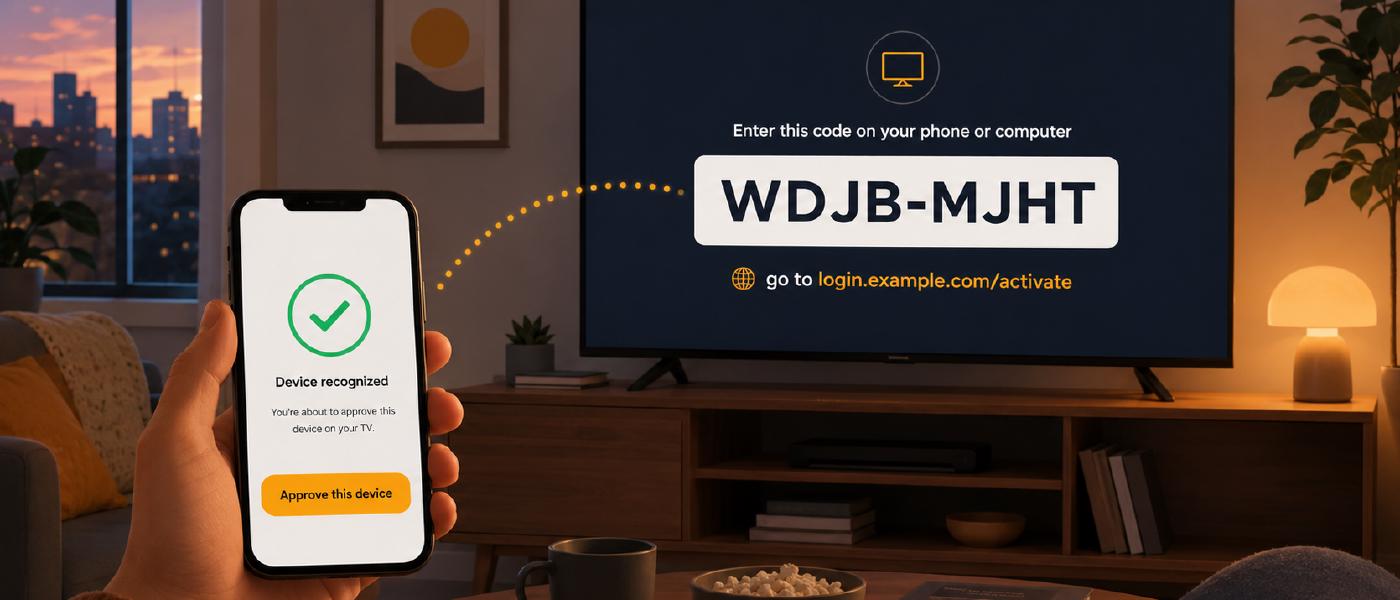
We have all been there: a fresh smart TV, a shiny streaming box, and a login screen that wants an email address and a password — one painful letter at a time, hunting across an on-screen keyboard with a remote control. It is slow, it is error-prone, and typing a real password that way feels wrong the moment you start.
The web already solved this problem, and with Uitsmijter 0.11 the solution comes to your own SSO: the OAuth 2.0 Device Authorization Grant (RFC 8628), often just called the device flow.
What it is good for
The device flow is built for anything that can show a short code but can’t comfortably open a browser or take keyboard input:
- Smart TVs and set-top boxes — “go to this URL and enter
WDJB-MJHT” - Command-line tools —
mycli loginon a server with no browser at all - IoT and embedded devices — thermostats, cameras, printers
The trick is beautifully simple: the constrained device never sees the password. It shows you a short code, and you finish the login on a device that does have a keyboard and a browser — your phone or laptop. Once you approve, the device quietly receives its tokens in the background.
Concretely, three things happen:
- The device asks Uitsmijter for a pair of codes and shows you a message:
“Open
https://login.example.com/activateand enterWDJB-MJHT.” - You open that page on your phone, type the code, and log in as usual — through your normal Uitsmijter login, with all your providers and rules intact.
- Meanwhile the device is politely polling in the background. The moment you approve, it gets a real access and refresh token.
The password stays on your trusted device. The TV only ever holds the finished token.
How to configure it
There is refreshingly little to do. The device grant is enabled per client — you
opt in by adding device_code to the client’s grant_types:
apiVersion: "uitsmijter.io/v1"
kind: Client
metadata:
  name: livingroom-tv
spec:
  ident: 249C1059-1181-4666-9D36-8C5F3D3D8E7C
  tenantname: acme/acme
  redirect_urls:
    - 'https?://.*\.example.com'
  grant_types:
    - authorization_code
    - refresh_token
    - device_code          # ← this is all it takes
That’s genuinely enough. If you want to tune the timing, add an optional
device_grant_config — but every field has a sensible default, so you only set what you
want to change:
  device_grant_config:
    expires_in: 1800     # how long the codes stay valid, in seconds (default 1800)
    interval: 5          # minimum seconds between device polls (default 5)
    # verification_uri:  # override the page shown to the user; auto-detected by default
Leave device_grant_config out entirely and Uitsmijter uses the defaults. Once a client
supports the grant, the endpoint even shows up in your .well-known/openid-configuration
discovery document, so standard OAuth2 client libraries can find it on their own.
Standards, not surprises
We were careful to make this a boring, correct implementation. Uitsmijter speaks the
RFC on the wire — the standard urn:ietf:params:oauth:grant-type:device_code grant type,
the standard authorization_pending / slow_down error responses — so an off-the-shelf
OAuth2 device-flow client works against it without special-casing. If it follows the spec,
it will feel right at home.
The Device Authorization Grant ships in Uitsmijter 0.11. Point a TV, a CLI, or a Raspberry Pi at it, and let your users leave the on-screen keyboard behind.